
CubeMX + KiCAD
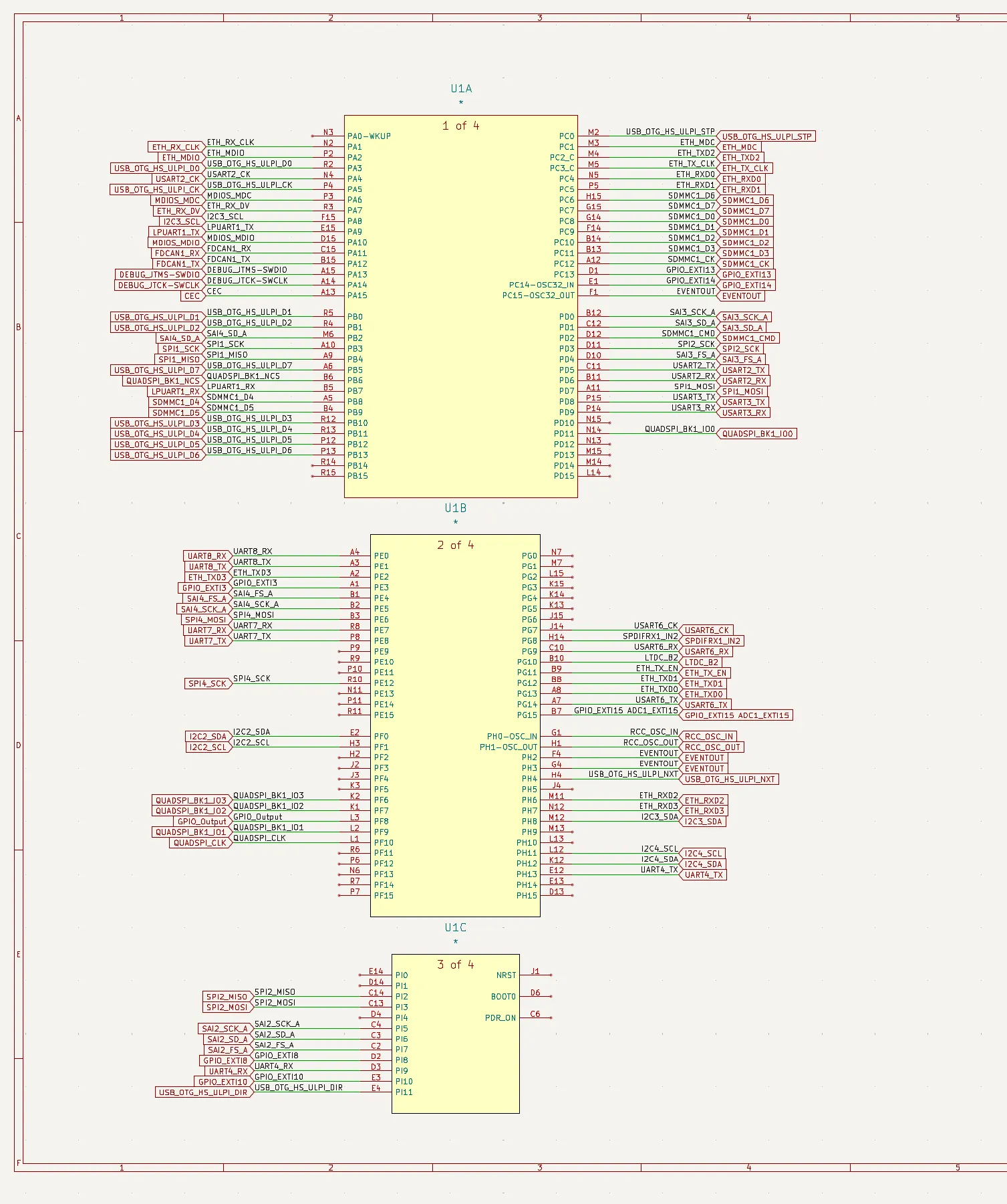
This script automatically fans out MCUs in KiCAD according to the pin-out files exported from STM32 CubeMX, based on API provided by

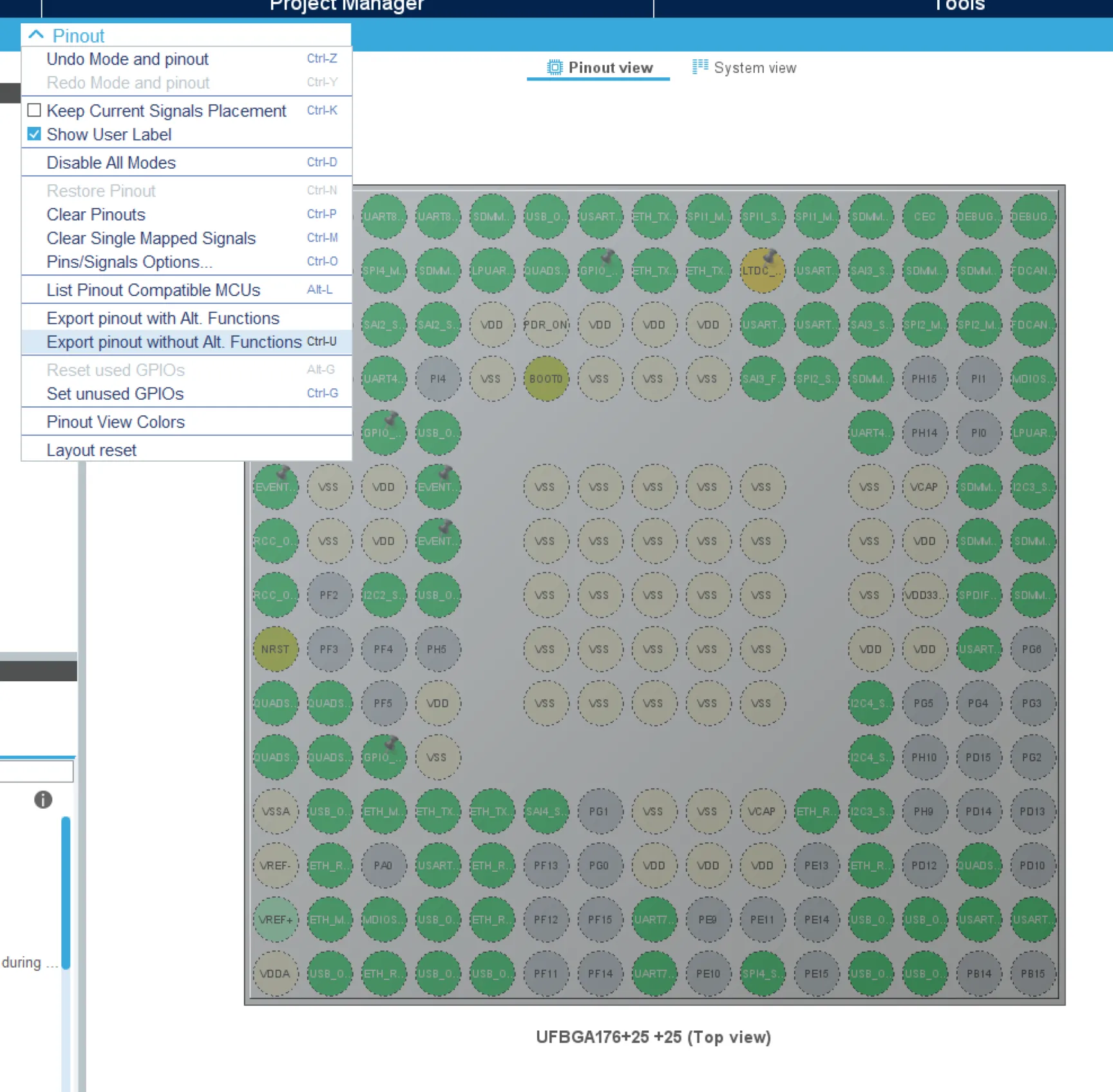
- Start with a CubeMX project. Other software will be supported in future. Do Pinout->Export pinout without Alt. Functions
-
Get your KiCAD schematic ready.
-
Run
MCUFanout.py, enter paths to schematic file (*.kicad_sch) and the pinout file exported from CubeMX.Fanout Length: The length of fan-out wire, 1 unit = 50 mils (the recommended grid length of KiCAD).Component Key:Referencemeans finding the MCU component by its reference (designator), regex is supported;Value Prefixmeans finding by the prefix of value of components. e.g. when designatingValue Prefix = STM32the script will fan out all components with values begin with ‘STM32’, like ‘STM32F103…’ or ‘STM32H750…’.Enable Global/Local Label: Whether a global/local label showing the functions of pins should be created.With the configuration in below, the script will fan out 1000-mils-long wires with both global & local labels from component U1, according to pinout.csv.
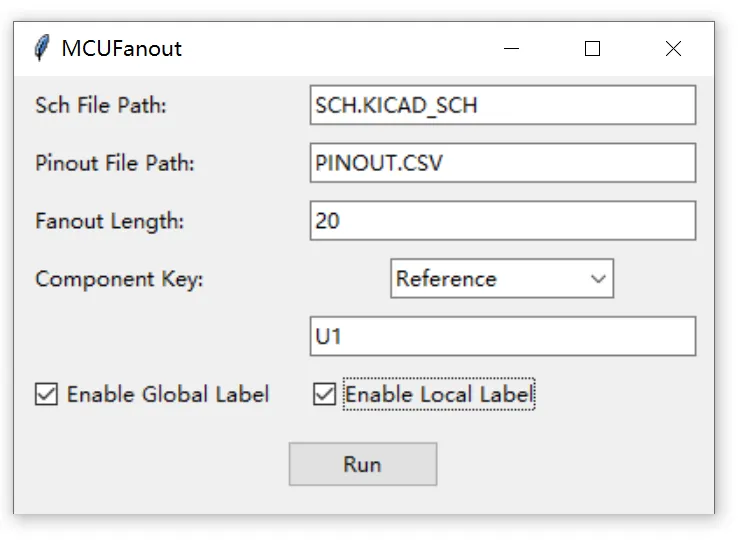
- Press
Run, then re-open the schematic in KiCAD.
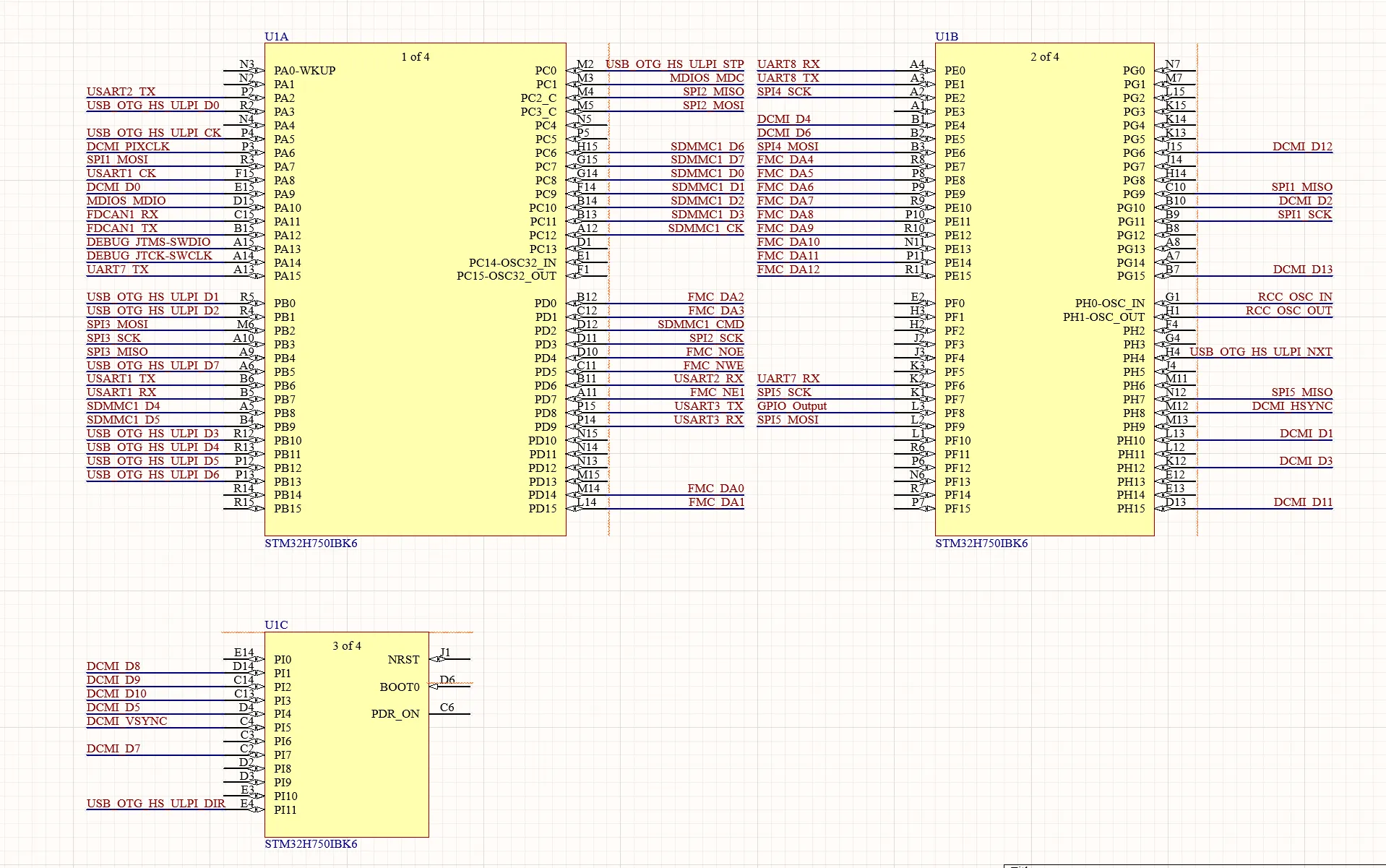
CubeMX + Altium Designer
This script automatically fans out MCUs in Altium Designer according to the pin-out file exported from STM32 CubeMX.
- Starting from a CubeMX project, do Pinout->Export pinout without Alt. Functions
- Load EETools.PrjScr to your workspace.
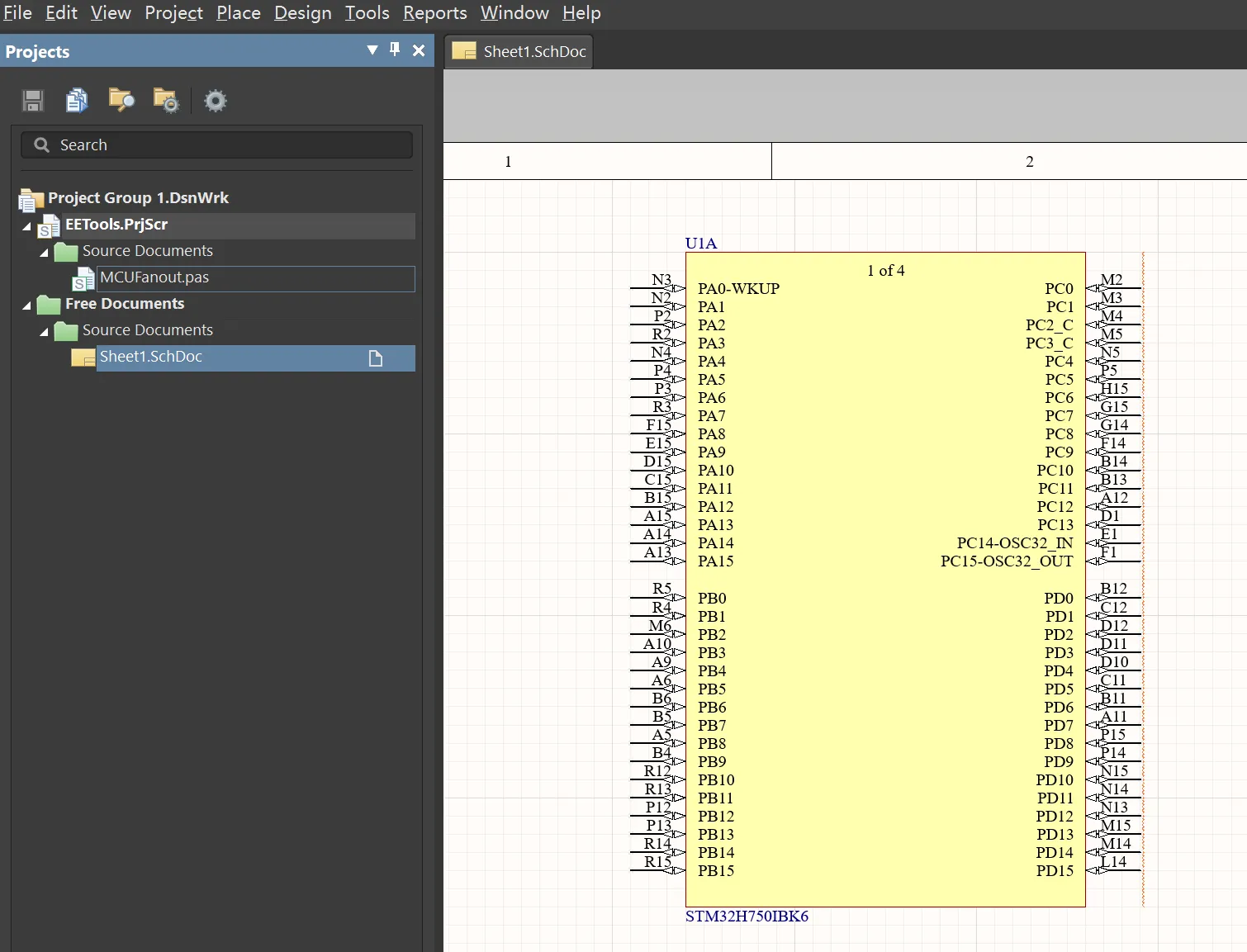
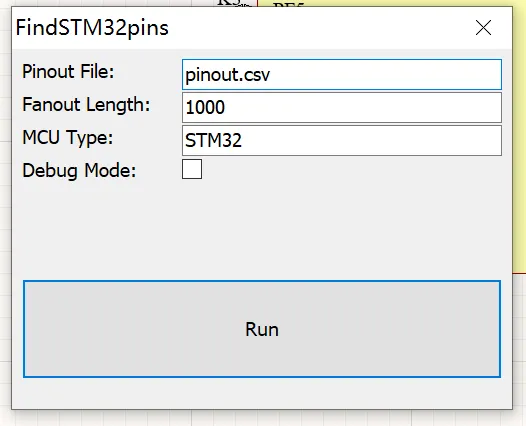
- Run MCUFanout.pas, fill in pinout file path, fanout length and MCU type, click Run.
- Finished.